Manage Tasks from Chat
Create, assign, and update tasks in Jira, Linear, or Notion by simply describing what you need — no clicking through dashboards.
Starter prompt
Create a Jira ticket for the login bug we discussed: summary is 'Fix OAuth redirect on mobile', assign it to me, set priority to High, and add it to the current sprint.
Introduction
Switching between your work and a project management tool to log a task breaks focus. Dume connects to Jira, Linear, and Notion so you can create, update, and query tasks in natural language without leaving your current context.
Supported Actions
| Action | Example |
|---|---|
| Create a task | "Create a Linear issue: Fix header on mobile, assign to Alice, priority medium" |
| Update a task | "Move JIRA-412 to In Review and add a comment: 'Ready for QA'" |
| Query tasks | "What tasks are assigned to me and due this week?" |
| Bulk create | "Create 5 tasks for the onboarding redesign project based on these notes: [paste notes]" |
| Close/resolve | "Mark JIRA-408 as Done" |
Example: Sprint Planning with Dume
During a planning session, paste your meeting notes into Dume and ask:
These are our sprint planning notes. Extract all the action items, create a Jira ticket for each one, assign them to the person mentioned, and add them to the current sprint. Use story points of 2 for small tasks and 5 for larger ones.Dume will create every ticket, reducing the post-meeting admin from 20 minutes to under a minute.
Reading Your Backlog
Dume can pull data from your task tracker and surface the right context:
What's blocking the Q2 feature release? Show me all open bugs with High or Critical priority.Summarize what the engineering team has completed this week based on Jira tickets moved to Done.Cross-Tool Workflows
You can chain tools together in a single prompt:
Look at the tasks completed in Linear this week, write a brief progress update, and send it to the #product-updates Slack channel.Dume handles the full flow — no manual steps between tools.
More Dume use cases
Other workflows you can automate with Dume.

Automate Email Responses
Let Dume draft, categorize, and send context-aware replies to your inbox so you can focus on what matters.

Draft Project Proposals
Generate well-structured project proposals from a brief description, tailored to your audience and ready for review.
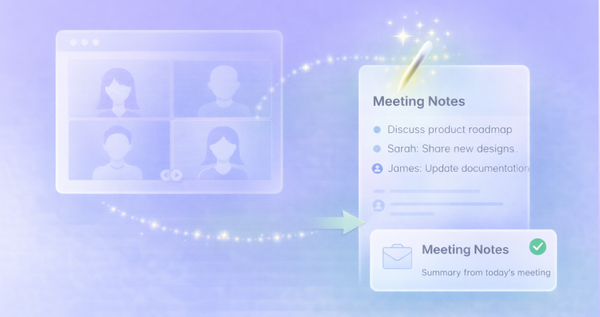
Summarize Meeting Notes
Automatically capture, summarize, and distribute action items from every meeting — no manual note-taking required.