Plan Your Day from Your Calendar
Analyze meetings, emails, and context to prioritize tasks and prepare you for what’s coming next.
Starter prompt
It’s 8:30am. Look at today’s calendar and my recent email threads. Give me top 3 priorities, prep bullets for each meeting, follow-ups after each block, and 2 suggested focus windows between meetings.
Introduction
Most workdays start reactively: you open the calendar, skim subject lines, and hope you remember why that 2pm meeting exists. Dume for Chrome can read what is already on your screen — calendar, mail, docs — and turn it into a short, actionable plan: what matters first, what to say in each meeting, and where to protect focus time.
You still choose what to do; Dume just makes the first hour of the day calmer.
How It Works
Dume for Chrome runs in your browser and can work with the tabs and apps you already use (Google Calendar, Gmail, and more, depending on your setup). A typical morning flow:
Step 1 — Open your calendar for today
Have your day view visible so Dume can see meeting titles, times, attendees, and any notes you’ve added.
Step 2 — Add context (optional but powerful)
Open or mention recent email threads, a task list doc, or Slack in the browser if you want the plan to reflect real follow-ups, not just meeting titles.
Step 3 — Ask for a structured day plan
Use the Example prompt below or adapt it to your role (sales, engineering, hiring, etc.).
Step 4 — Execute in order
Treat Dume’s output as a default stack rank. Adjust when urgent work appears — but you will already have prep notes and suggested focus blocks ready.
What Dume Plans
- Top priorities — what actually moves your goals today vs what is noise
- Meeting prep — purpose, desired outcome, and 3–5 talking points per slot
- Follow-ups — concrete next steps after each meeting (email, doc, decision)
- Focus blocks — realistic windows between meetings, sized to your energy
- Risk flags — overlaps, missing agendas, or prep you are underprepared for
Example Prompt
Help me plan today.

Context:
- Use my Google Calendar for the schedule
- I have Gmail open — use recent threads from the last 48 hours for follow-ups
- I need at least one 90-minute deep-work block for project X

Deliver:
1) Top 3 priorities for today (with 1 sentence each why)
2) For each calendar event: purpose, desired outcome, prep checklist (max 5 bullets)
3) After each event: specific follow-up tasks (who / what / by when)
4) Two suggested focus-time windows between meetings (start/end times)
5) Anything I should decline, shorten, or reschedule — with tactful wording
Example Day Plan (Shape)
Today — Wed Apr 2

Priorities
1) Ship the analytics fix — blocks customer reporting (P0)
2) Align with design on onboarding — decision needed before Friday build
3) Send vendor security answers — deadline tomorrow

9:30 Standup — Outcome: clear owners for two bugs
Prep: read #482 thread; note repro steps
Follow-up: comment on PR with test gap

11:00 Design sync — Outcome: pick one onboarding flow
Prep: link to Figma v3; list two open questions on copy
Follow-up: Slack summary + calendar hold for eng review

Focus blocks
• 10:15–11:00 — deep work (analytics)
• 2:00–3:30 — deep work (vendor questionnaire)
Customization
- "I’m a manager — include 1:1 prep and skip deep-work blocks"
- "Assume I’m in PT; meetings may be ET"
- "Keep total output under one page"
- "Prioritize customer-facing deadlines over internal meetings"
Tips for Best Results
- Run the prompt after your calendar is up to date — stale invites confuse the plan
- Mention hard constraints (school pickup, no-meeting Friday)
- If you have a weekly goal, paste it once — Dume can align daily priorities to it
- Re-run at lunch for a half-day reset when the morning derails
Limitations
Dume plans from what it can see in the browser and what you describe. It does not replace your judgment on confidentiality, political sensitivity, or commitments you have not written down.
More Dume for Chrome use cases
Other workflows you can automate with Dume for Chrome.
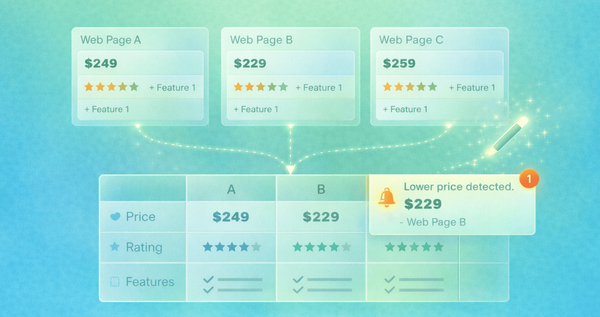
Compare Options Across Websites
Extract and normalize data from multiple pages to generate structured comparisons and make better decisions faster.

Extract Data from Websites
Scrape, structure, and export data from any public webpage directly from your browser without writing a single line of code.
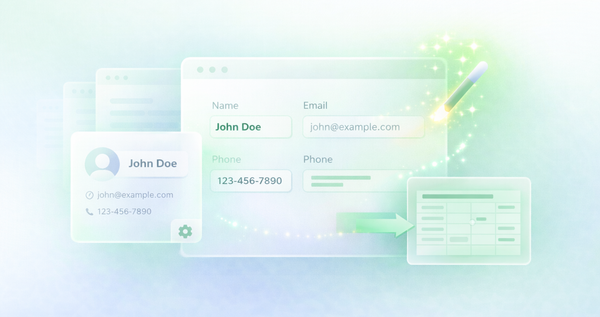
Fill Forms Automatically
Stop re-typing the same information. Dume for Chrome fills web forms using your saved profile data or dynamic context in seconds.