Build and Test Code Autonomously
Describe a feature or bug fix in plain English and let Dume Cowork write the code, run tests, and iterate until it passes.
Starter prompt
In this Next.js project, add a /api/use-cases endpoint that reads MDX files from the usecases/content directory, parses their frontmatter, and returns a JSON array sorted by featured first, then alphabetically. Write unit tests with Jest. Run the tests and fix any failures before stopping.
Introduction
Dume Cowork operates as an autonomous desktop agent with access to your file system, terminal, and browser. For coding tasks, it can open your project, write files, run your test suite, read errors, and fix them — all without you writing a single line.
How It Works
Dume Cowork interacts with your development environment at the OS level. It can:
- Read and write files in your project directory
- Run terminal commands — npm, pnpm, cargo, go, pytest, etc.
- Execute tests and read the output
- Open the browser to inspect UI results or API responses
- Search documentation when it needs context on libraries or APIs
The coding loop
Dume Cowork follows a test-driven loop when asked to build something:
- Read the codebase structure and relevant files
- Write or modify code
- Run tests / linter
- If failures → read the error, patch the code, re-run
- Repeat until all checks pass
- Report a summary of changes made
Example: Adding an API endpoint
Add a GET /api/users/:id endpoint to this Express app.
It should fetch a user by ID from the database using Prisma,
return 404 if not found, and include error handling.
Write integration tests using supertest. Run the tests and
fix any failures automatically.
Dume Cowork will:
- Read your existing route files to match conventions
- Write the route handler
- Add Prisma query with proper error handling
- Write test file
- Run
pnpm testand iterate if anything fails
Staying in Control
Dume Cowork shows you every action it takes in the activity log. You can:
- Pause at any point to review intermediate changes
- Reject a file change and explain what's wrong
- Guide mid-task with follow-up instructions
The agent will not push to git or deploy without an explicit instruction to do so.
Best Practices
- Give Dume Cowork a clear definition of done: "tests should pass", "the endpoint should return 200 with the expected shape"
- Provide existing code examples or patterns to follow ("match the style in
src/routes/products.ts") - For large refactors, break the task into smaller steps
- Review the diff before committing — Dume Cowork always shows you what changed
More Dume Cowork use cases
Other workflows you can automate with Dume Cowork.

Automate Daily Standups
Let Dume Cowork collect status updates, compile your standup report, and post it to Slack — before you've had your coffee.

Monitor Websites and Alert on Changes
Set Dume Cowork to watch any webpage for changes — price drops, new job listings, competitor updates — and alert you the moment something changes.
Prep Documents for Compliance Audits
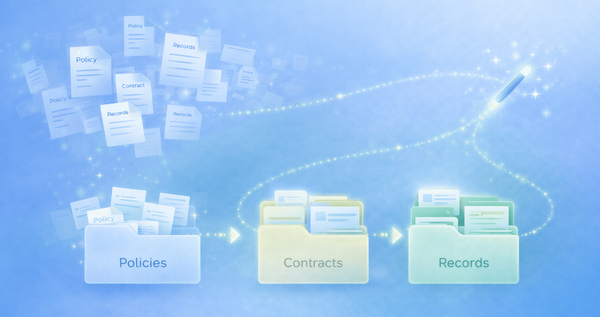
Turn scattered policies, contracts, and records into organized, audit-ready documentation with clear structure and naming.