Karpathy's LLM Wiki Explained + How to Build One Without Code

Anmol Singh
• • 9 min read
Meet Dume Cowork
A desktop AI agent that handles files, browser research, and reports end-to-end.
Andrej Karpathy — co-founder of OpenAI, former Tesla AI director, and one of the most-followed voices in artificial intelligence published a GitHub Gist that quietly set off a wave of interest across the developer community. He called it an LLM wiki: a system where an AI agent reads your raw documents, builds a structured knowledge base, and keeps it updated automatically so every answer compounds on the last one.
The response was immediate. Developers started cloning implementations. Blog posts appeared on Hacker News. GitHub repositories multiplied overnight. And somewhere in the middle of all that excitement, a very reasonable question went unanswered: What about the rest of us?
Karpathy's setup requires Claude Code (a terminal-based coding agent), Obsidian (a markdown editor), GitHub Gist familiarity, and comfort running commands in a shell. For software engineers, that's Tuesday morning. For a marketing manager, a small business owner, or a team of consultants managing 200 folders of client documents it's a wall.
This post breaks down exactly what Karpathy built, why it's genuinely valuable, and how Dume Cowork gives non-technical professionals the same compounding AI workspace — no terminal, no code, no learning curve.
Key Takeaways
- Karpathy's LLM wiki is a system where an AI agent reads raw files and builds a living, self-updating knowledge base his own wiki reached 100 articles and 400,000 words (GitHub Gist, 2026)
- The setup requires Claude Code, Obsidian, and terminal access developer tools that create a hard barrier for non-technical users
- Dume Cowork replicates this workflow for knowledge workers: point it at your files, describe what you need, and walk away no code required
- Knowledge workers lose 1.8 hours every day searching for information (APQC, 2024) — the exact problem a compounding AI workspace solves
- Dume Cowork is free to try, works on macOS and Windows, and can be controlled from WhatsApp
What Is Karpathy's LLM Wiki, Exactly?
Karpathy's LLM wiki is not a notes app. It's not a search tool. And it's not a chatbot wrapper around your documents. Knowledge workers spend an average of 1.8 hours every day just searching for information (APQC, 2024) the LLM wiki attacks that problem at the root by building a structured, AI-maintained knowledge layer that compounds over time. [INTERNAL-LINK: how AI agents handle file work → Dume Cowork file organisation guide]
The architecture has three components:
Raw sources — your immutable input: articles, PDFs, research papers, meeting notes, client documents. These go in a directory and are never modified. They're your source of truth.
The wiki — a directory of markdown files the AI owns entirely. It reads your raw sources and generates topic pages, entity summaries, concept comparisons, and cross-references. When new sources arrive, it updates existing pages and notes contradictions with what's already there.
The schema — a configuration document (a CLAUDE.md or AGENTS.md file) that tells the AI how the wiki is structured, what conventions to follow, and which workflows to run.
As Karpathy put it: "The knowledge is compiled once and then kept current, not re-derived on every query." That's the shift. Traditional AI assistants rediscover your documents from scratch every time you ask a question. Karpathy's system builds a persistent, compounding artifact one that gets smarter with every document you add.
His own research wiki on a single topic grew to approximately 100 articles and 400,000 words (GitHub Gist).

Why Karpathy's Setup Is Built for Developers
Here's what the breathless coverage usually leaves out: the moment you open Karpathy's GitHub Gist, you're reading a developer's idea file written for developers.
To implement it, you need:
Claude Code Anthropic's terminal-based coding agent. It runs in your command line. Setup involves installing Node.js, authenticating with an API key, and understanding how to write CLAUDE.md configuration files.
Obsidian a powerful markdown editor with a graph view for visualizing links between notes. Excellent tool. Setup still requires understanding file vaults, plugins, and a local directory structure.
GitHub familiarity — the source gist is hosted there. Forking, adapting, and running it assumes you're comfortable with version-controlled text files.
A functioning terminal — every operation in Karpathy's workflow runs as a shell command. ingest, query, lint — these are typed commands, not buttons you click.
Gartner predicts that 40% of enterprise applications will feature task-specific AI agents by 2026, up from less than 5% today (Gartner, 2025). The tools that will serve the other 60% of users — the non-developers — haven't always gotten the same attention. Karpathy's wiki is a brilliant pattern. But the implementation is squarely in developer territory.
That gap is exactly what Dume Cowork closes.
The Non-Technical Version: How Dume Cowork Replicates This Workflow
Dume Cowork is a desktop AI agent for macOS and Windows. It handles file work, research, and reports — end-to-end — without requiring a single command. The workflow maps directly onto Karpathy's three-layer architecture, just without the setup friction:
Your files are the raw sources. You point Dume at a folder a client folder, an invoices directory, a project drive full of meeting notes. You don't rename files. You don't convert formats. You just show Dume where things live.
Dume does the work the wiki would do. It reads your documents, extracts the relevant information, builds structured outputs — summaries, reports, spreadsheets, categorized analyses — and maintains them as new files arrive. The output compounds. Ask Dume to prepare a weekly summary report from your project notes, and it'll know where to look next week without being told again.
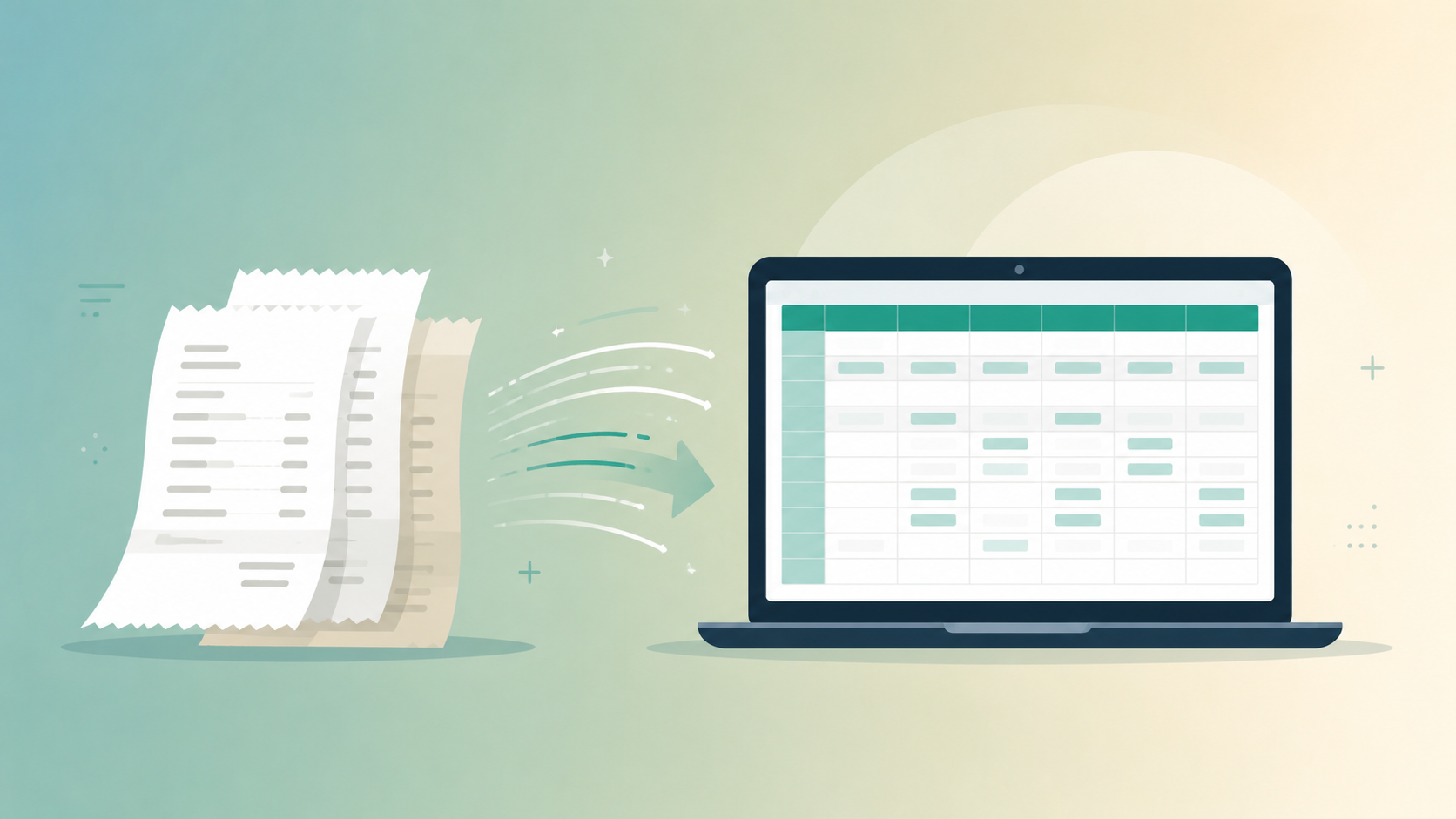
You describe the schema in plain English. Instead of a CLAUDE.md configuration file, you describe what you want in a sentence. "Scan this folder of invoices and build a spreadsheet with vendor name, amount, and date." Dume's AI figures out the rest.
Knowledge workers currently spend more than 50% of their working time creating or updating documents — PDFs, spreadsheets, or Word files — according to multiple workforce productivity studies (ProcessMaker, 2024). Dume Cowork automates that layer entirely: you describe the output you need, and Dume reads your source files, processes the data, and delivers the finished document compounding knowledge without manual effort.
The result is the same compounding knowledge workspace Karpathy built without needing to touch a terminal.
Step-by-Step: Build Your AI Workspace With Dume Cowork
Here's how to replicate Karpathy's LLM wiki workflow using Dume Cowork, from zero to a running system in under five minutes.
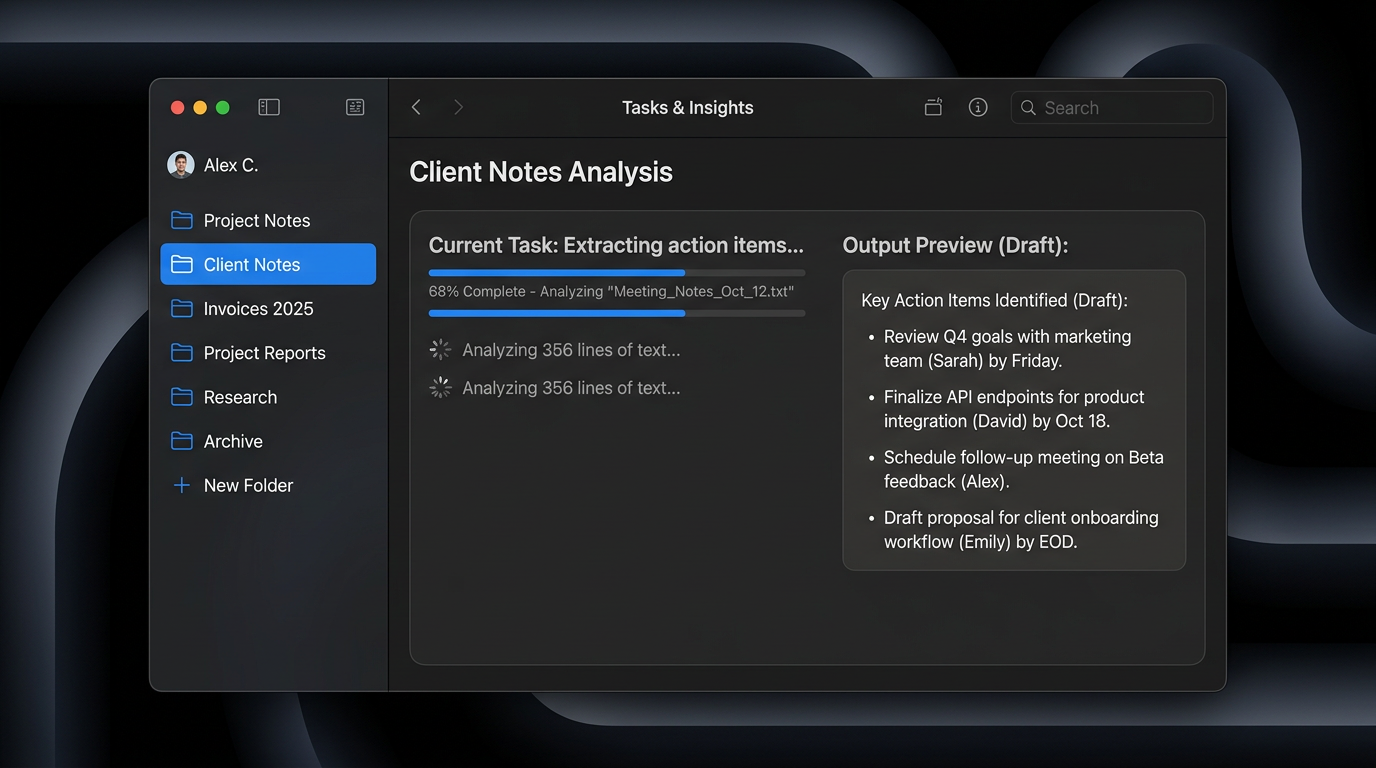
Step 1: Download and install Dume Cowork
Available for macOS and Windows at dume.ai. No developer account required. No API key setup. The free tier starts immediately no credit card needed.
Step 2: Point Dume at your raw sources
Open Dume and select the folder that holds your working files. This is your equivalent of Karpathy's raw/ directory. It could be a client folder, a project archive, a downloads folder full of research PDFs whatever you're working with.
Step 3: Describe the knowledge structure you want
This is your schema, in plain English. Tell Dume what it should produce:
- "Summarise each document in this folder and produce one overview report with key themes and decisions."
- "Go through these invoices and build a spreadsheet: vendor, amount, date, and payment status."
- "Read these meeting notes and extract all action items, owners, and deadlines."
Dume reads your instruction, processes the source files, and delivers structured output — just like Karpathy's wiki generates entity pages and concept summaries from raw documents.
Step 4: Let Dume maintain it as new files arrive
Add new files to the folder. Run the same task description again — or save it as a recurring instruction. Dume reads only what's new, updates the relevant outputs, and flags anything that contradicts prior data. This is the compounding mechanic at the core of Karpathy's system.
Step 5: Control it from WhatsApp (optional)
One capability Karpathy's terminal-based setup doesn't offer: you can control Dume from your phone via WhatsApp. Send a task while you're away from your desk — "Prepare the weekly project summary from the notes folder" — and come back to finished work. No laptop required.
What Makes the Dume Cowork Approach Different
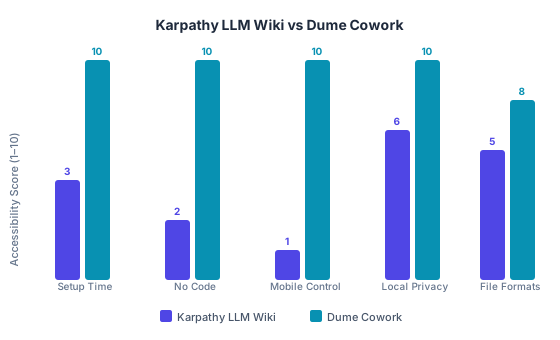
Accessibility comparison: Karpathy's LLM Wiki vs Dume Cowork across setup time, code requirements, mobile control, privacy, and file format support
The core idea is identical. The experience of getting there is completely different.
No terminal, no config files. Karpathy's system requires you to write a schema document, run shell commands, and maintain a directory structure. Dume Cowork replaces all of that with plain English instructions and a folder selection dialog.
Works across file types you already use. Karpathy's markdown-native system works best with text documents. Dume Cowork handles PDFs, Word documents, spreadsheets, and CSV files — the actual formats knowledge workers live in every day.
Local-first privacy. Both systems process files locally, but Dume is explicit about it: your files never leave your machine. Nothing is uploaded to Dume's servers. Every action requires your approval before Dume executes. This matters if you're working with client data, legal files, or anything commercially sensitive.
Multiple AI models, not one vendor. Karpathy's setup is built around Claude Code, which requires an Anthropic subscription. Dume Cowork supports multiple AI models, so you're not locked into a single provider or pricing structure.
AI agents that cut manual work by at least 30% while increasing speed and output are now well documented across enterprise deployments, according to a 2026 analysis of agentic AI adoption (OneReach.ai, 2026). For knowledge workers — who currently lose 21.3% of their productivity to document-related challenges (ProcessMaker, 2024) — a local-first AI agent that handles file work without code represents a direct path to that productivity recovery.
The Bigger Picture: Why Compounding Knowledge Matters
Karpathy identified something most productivity tools miss: the problem isn't that you can't find answers. The problem is that every answer starts from zero.
You search your files. You skim five documents. You reconstruct context you've reconstructed a dozen times before. Employees spend an average of 1.8 hours every day doing exactly this — just searching for information they already have (APQC, 2024). Across a team of ten people, that's 18 hours a day dissolving into file navigation.
The compounding knowledge model — whether you build it with Karpathy's technical setup or with Dume Cowork — attacks this at the source. The AI does the reading, the cross-referencing, and the synthesis once. Every subsequent query draws on accumulated context, not raw search.
Businesses currently lose up to 21.3% of their total productivity to document-related inefficiencies (ProcessMaker, 2024). A compounding AI workspace — one that knows your files, maintains structured outputs, and updates itself as new information arrives — is the structural fix, not another app to manage.

Try Dume Cowork Free — No Credit Card Required
Dume Cowork is in Research Preview, available now for macOS and Windows.
Get started in under 5 minutes:
- Download Dume Cowork — free tier, no credit card required
- Point it at a folder of your working files
- Describe what you need in plain English — a report, a summary, a spreadsheet
- Enable WhatsApp control to send tasks from anywhere
- Watch it compound — add new files, re-run the same instruction, get updated output
Early users lock in Research Preview pricing for life. The sooner you start, the better the deal you keep.
Learn how to set up WhatsApp control
Frequently Asked Questions
Conclusion
Andrej Karpathy's LLM wiki is one of the most thoughtful AI workflow ideas to emerge in 2025. The insight — that compounding knowledge beats repeated retrieval — is genuinely valuable for anyone who works with large volumes of documents.
The implementation, though, was built for developers. Most people who could benefit from it most — consultants, operations teams, business owners, researchers, marketing managers — hit a wall the moment they open the GitHub Gist and see shell commands.
Dume Cowork is that idea, rebuilt for the rest of us. Same compounding workflow. Same local-first privacy. No terminal, no code, no setup friction. Point it at your files, describe what you need, and walk away.
The knowledge builds itself from here.
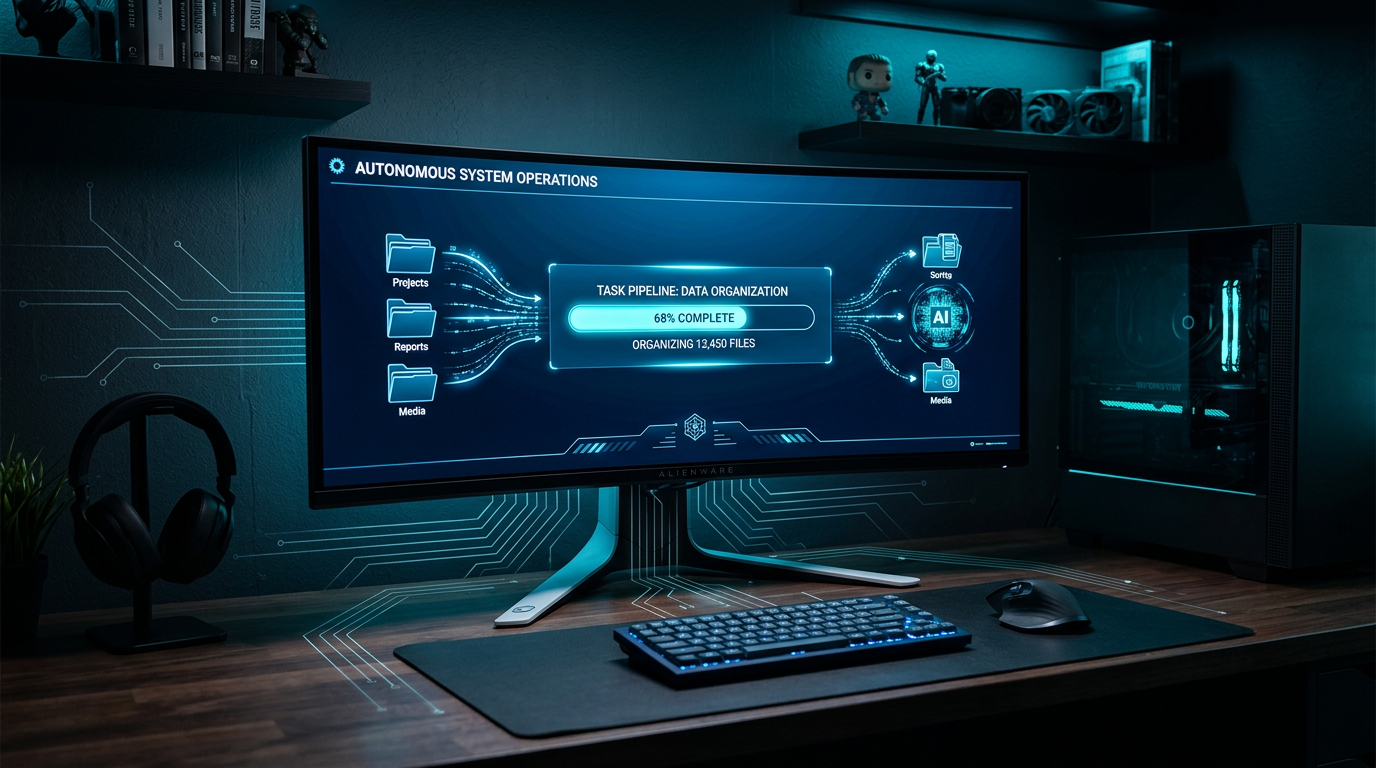
A desktop AI agent runs locally on your Mac or PC, completing file work and research end-to-end. Learn what they are, how they work, and how to choose one.
Meet Dume Cowork the AI agent that works your computer while you don't and Dume for Chrome, your AI assistant right inside every browser tab. Both free to try.
Meet Dume Cowork
A desktop AI agent that handles files, browser research, and reports end-to-end.